
Connecting to an AppleTV from an iPad
Full Apple support article
Airplay
Airplay will open media currently playing on your iPad on the appleTV. This does not duplicate the display, allowing you to perform other tasks on your device while the media plays. This is preferred for projecting things like longer videos or music.
Inside a supported app, such as youtube.
1. Press the Airplay or or Cast button which may look like  or
or
2. If asked to select, choose Airplay & bluetooth devices
3. Select your classroom AppleTV from the list of airplay destinations.
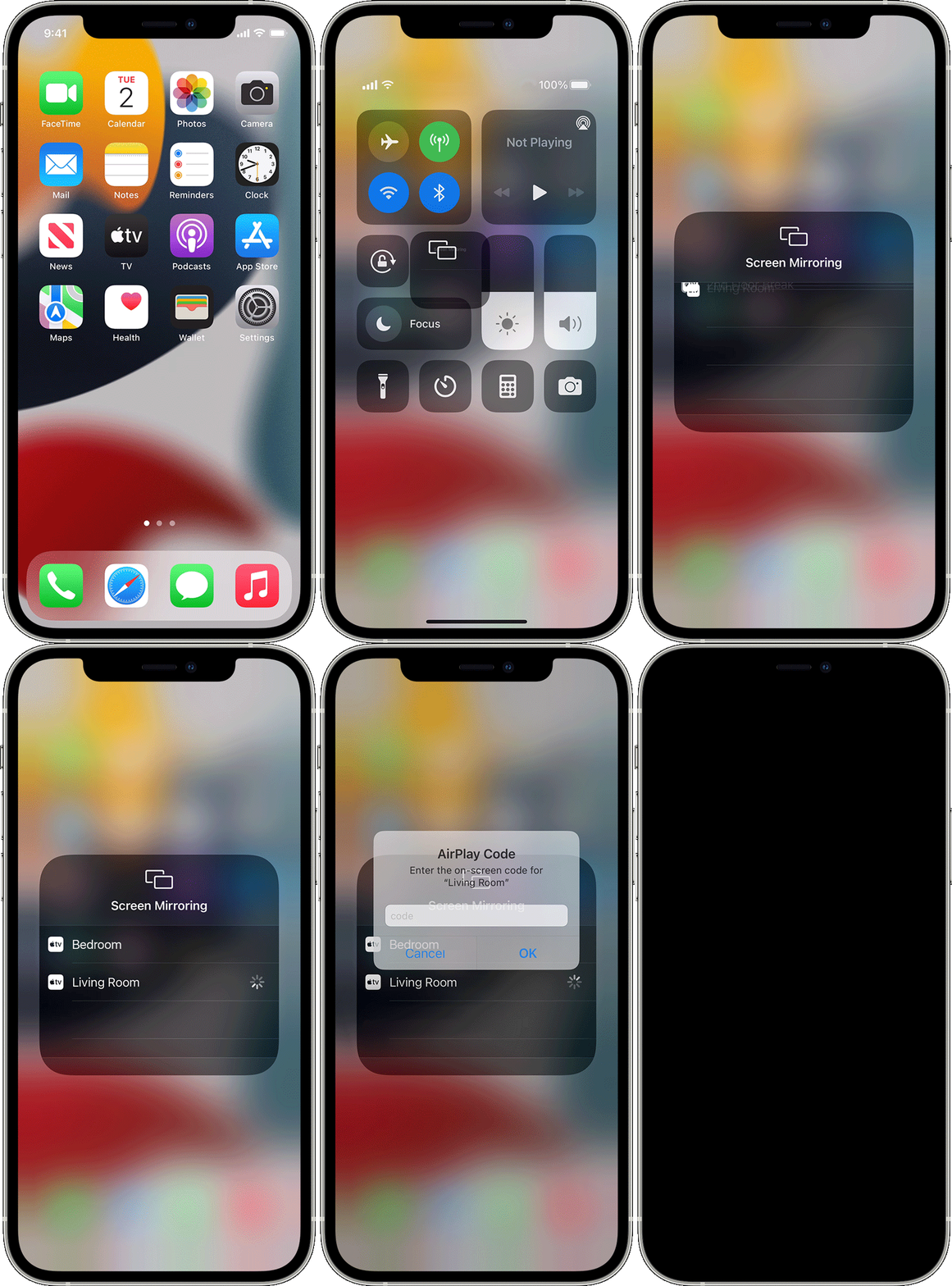
Screen Mirroring
Screen Mirroring will duplicate your iPad display on the projector/TV, and is suitable for slideshows and general instruction. Not recommended for long format projection like showing a film.
 .
Select your Apple TV, from the list, it should be named after your classroom.
If an AirPlay passcode appears on your projector/TV screen Simply enter the password on the device.
.
Select your Apple TV, from the list, it should be named after your classroom.
If an AirPlay passcode appears on your projector/TV screen Simply enter the password on the device.